
 English
more 

 English
 Views: 0 Author: Site Editor Publish Time: 2026-08-27 Origin: Site


Synthetic paper has become an increasingly popular material for industries that require durable, waterproof, and high-performance printing solutions. Made primarily from polymer materials such as polypropylene (PP) and polyethylene terephthalate (PET), synthetic paper offers excellent resistance to water, tearing, chemicals, and environmental conditions.
It is widely used for:
Waterproof labels
Industrial tags
Flexible packaging
Menus
Outdoor graphics
Instruction manuals
Product identification materials
However, during high-speed printing and post-processing, users may encounter common problems such as:
Edge curling during laser printing
Sheet deformation and poor flatness
Uneven ink absorption
Static electricity affecting material feeding
Warping after lamination or finishing processes
Unlike traditional paper, synthetic paper is a polymer-based substrate with different thermal, mechanical, and electrical characteristics. Therefore, selecting the right material structure and optimizing printing conditions are essential for achieving stable printing performance.
This guide explains the main causes of curling and warping on synthetic paper and provides practical solutions to improve print quality and processing stability.

Curling and warping are usually caused by a combination of material properties, printing conditions, and environmental factors.
Understanding these causes helps manufacturers and printers choose the correct synthetic paper solution.
Laser printing technology uses a high-temperature fusing process to permanently fix toner onto the substrate.
During this process, synthetic paper may experience:
Rapid temperature changes
Thermal expansion
Uneven cooling
Internal stress release
If the material does not have sufficient thermal stability, these effects may cause:
Edge curling
Sheet deformation
Feeding problems
Misalignment during printing
For laser printing applications, PET synthetic paper is often preferred because PET provides excellent dimensional stability and better resistance to high processing temperatures.
Compared with PP materials, PET has:
Higher stiffness
Better heat resistance
Lower thermal deformation
making it suitable for applications requiring consistent flatness.

Inkjet printing requires a synthetic paper surface that can quickly absorb ink while maintaining image clarity.
Unlike traditional paper, polymer substrates naturally have low surface absorption. Therefore, synthetic paper requires a specially designed coating layer.
A high-quality inkjet coating helps achieve:
Faster ink drying
Improved color reproduction
Reduced ink spreading
Better water resistance
However, an imbalance between coating performance and ink volume may cause:
Uneven drying
Surface stress
Paper deformation
For inkjet applications, PP synthetic paper is commonly selected because it provides:
Excellent flexibility
Lightweight structure
Waterproof performance
Good printing compatibility
It is widely used for:
Labels
Outdoor graphics
Menus
Packaging applications
One of the most effective ways to prevent curling and warping is selecting a material designed for the specific printing technology.
Different printing processes require different substrate characteristics.
Printing Method | Recommended Material | Main Advantage |
|---|---|---|
Inkjet Printing | PP Synthetic Paper | Excellent ink absorption and flexibility |
Laser Printing | PET Synthetic Paper | Superior thermal stability |
HP Indigo Printing | Coated Synthetic Paper | Improved ElectroInk adhesion |
Using unsuitable synthetic paper may lead to:
Poor print quality
Material deformation
Reduced production efficiency
Finishing problems
Choosing the correct substrate at the beginning can significantly reduce printing failures.

The base material structure directly influences how synthetic paper reacts during printing.
PP synthetic paper is lightweight and flexible.
Key advantages:
Excellent waterproof performance
Good flexibility
Smooth printing surface
Suitable for various coating technologies
Typical applications:
Waterproof labels
Retail displays
Outdoor signs
Menus
PET synthetic paper provides higher mechanical strength and dimensional stability.
Key advantages:
Better heat resistance
Higher stiffness
Excellent flatness after printing
Strong durability
Typical applications:
Industrial labels
Laser printing materials
Durable documents
Product identification tags
The coating layer plays an important role in synthetic paper performance.
A properly engineered coating system improves:
The coating controls how ink penetrates and spreads across the surface.
This helps prevent:
Ink accumulation
Uneven drying
Image distortion
A balanced coating layer helps maintain:
Smooth surface structure
Consistent print quality
Better dimensional stability
HP Indigo digital printing uses liquid ElectroInk technology, which requires specially treated surfaces.
Without suitable coating, synthetic paper may experience:
Poor ink adhesion
Uneven color density
Reduced image durability
Therefore, HP Indigo applications typically require synthetic paper with a dedicated Indigo-compatible coating layer.
Even with the correct synthetic paper, printing conditions have a major impact on final results.
Excessive heat is one of the main causes of deformation during printing.
Recommended practices:
Use synthetic paper designed for the specific printer type
Avoid unnecessary high-temperature settings
Select PET materials for demanding laser applications

Synthetic paper is made from polymer materials, which can easily accumulate static charges, especially in dry environments.
Excessive static electricity may cause:
Double feeding
Sheet misalignment
Material sticking
Printing interruptions
To improve printing stability:
Maintain balanced workshop humidity
Use anti-static equipment when necessary
Store synthetic paper correctly before use
Proper electrostatic control is particularly important for high-speed printing environments.
Synthetic paper should be conditioned before printing to allow the material to adapt to the printing environment.
Recommended practices:
Store materials in the printing room before production
Allow sufficient temperature adjustment time
Avoid immediate printing after transportation from different environments
A stable environment helps reduce:
Thermal expansion differences
Moisture imbalance
Surface stress
For applications requiring additional processing, post-printing handling is equally important.
Incorrect lamination parameters may create:
Uneven pressure
Internal stress
Material deformation
Proper control of:
Temperature
Pressure
Adhesive compatibility
helps maintain final product flatness.
Synthetic paper is available in different surface finishes, including glossy and matte options.
Advantages:
Reduced reflection
Better handling performance
Suitable for double-sided printing
Comfortable reading experience
Common applications:
Menus
Manuals
Commercial printing materials
Advantages:
High brightness
Strong visual impact
Excellent color appearance
Common applications:
Promotional materials
Premium labels
Photo-quality printing

Synthetic paper thickness affects stiffness and processing performance.
Common thickness options include:
75μm
95μm
Customized thickness options
Choosing the right thickness helps balance:
Flexibility
Durability
Flatness
Printing performance
Application | Recommended Synthetic Paper |
|---|---|
Waterproof labels | PP synthetic paper |
Outdoor graphics | Durable PP synthetic paper |
Laser printing documents | PET synthetic paper |
Industrial identification tags | PET synthetic paper |
HP Indigo digital printing | Indigo coated synthetic paper |
Premium commercial printing | Matte or glossy synthetic paper |
Curling and warping are common challenges when printing on synthetic paper, but they can be effectively controlled through proper material selection, coating technology, printer settings, and environmental management.
Choosing the correct substrate according to the printing method is essential:
PP synthetic paper provides excellent flexibility and inkjet printing performance.
PET synthetic paper offers superior thermal stability for laser printing.
Indigo coated synthetic paper delivers reliable performance for digital printing applications.
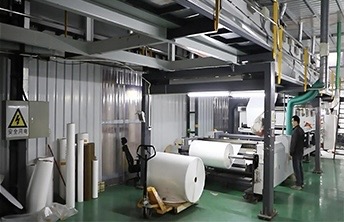
As a professional synthetic paper manufacturer, we provide customized PP, PET, and specialty coated synthetic paper solutions for different printing technologies and applications.
Our solutions include:
Custom thickness options
Specialized coating technologies
Stable batch quality
Technical support for printing applications
Need help selecting the right synthetic paper for your project? Contact our technical team for professional material recommendations and customized solutions.


